Road to AI: A 4-Hour Migration
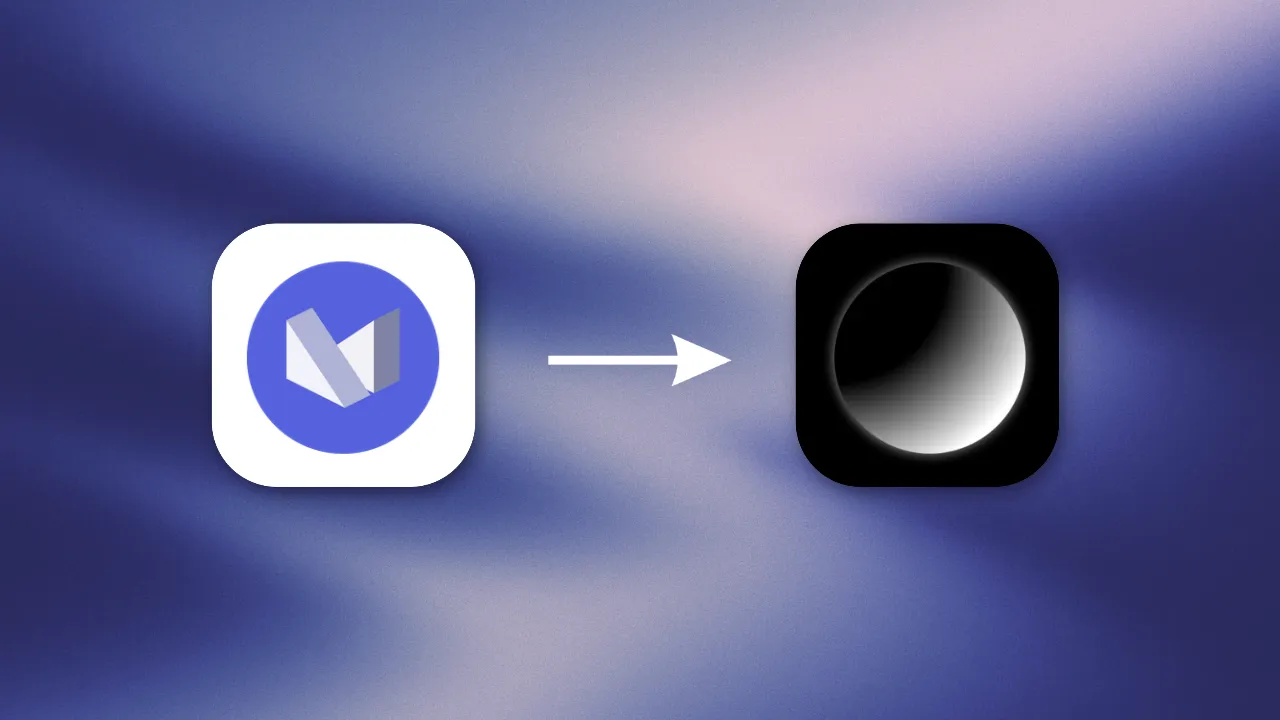
One evening, one framework switch
Hello, welcome to another blog!
This one is about my documentation site, Road to AI (docs.muhammedshah.com), where I keep my AI notes, Jupyter notebooks and book notes. Since day one, it has been running on MkDocs + Material for MkDocs, and honestly, it served me really well.
However, with Material for MkDocs reaching end of life in May 2027, I didn’t want to leave the migration until the last minute and end up scrambling to move a site with 70+ pages.
So, I spent about an hour the day before researching alternatives. I looked at different documentation frameworks, how well they would handle my existing content (especially the notebooks), and whether they would work with a fully static site like mine.
I eventually landed on Fumadocs (Next.js + Tailwind CSS). And, to be fair, one of the deciding factors was pretty simple: I loved the way it looked.
The migration itself? Done in one evening. I started a little after 9 PM, and the new site was live shortly after 1 AM. Roughly four hours, spread across three Claude Code sessions.
Let’s get to it.
Setting the ground rules first
Before writing a single line of code, I did two things.
First, a separate workspace. A framework migration touches literally everything in the repo, so I didn’t want to do it in my main folder. I had Claude create a git worktree: a second folder (New-Road-to-AI) linked to the same repo but on its own branch, major-update/framework-switch. My original checkout stayed on main, untouched, and the live site kept running as if nothing was happening.
Second, a detailed brief. I wrote one long prompt for the agent that covered:
- Hard rules: Work only inside the worktree, never push or touch
main, never edit the old MkDocs files (they are the source material), local installs only (no global packages, nosudo), and pin exact versions. - The target: Two sections, Neural Networks and Library, switchable from a dropdown at the top of the sidebar.
- URL parity: Every old link to the site must keep working. Same folder names, same casing, same trailing slashes.
- Notebooks are never executed. They are already run and saved, so the converter only reads the saved outputs.
- Phases with checkpoints: Recon, base template, content conversion, landing page, verification. After each one, a short report and a wait for my OK.
- Out of scope: Deployment, Vercel, any “Ask AI” features. One thing at a time.
I think this is what made the whole evening go so smoothly. The agent always knew where the walls were.
The plan
The first session began with a read-only reconnaissance of the existing site. Before touching anything, Claude came back with a surprisingly detailed inventory:
- 34 Markdown pages and 38 Jupyter notebooks (981 cells in total).
- 73 live URLs. Funny story: the live
sitemap.xmlwas empty (I had never setsite_urlinmkdocs.yml), so the URL list was taken from the deployed build sitting on thegh-pagesbranch instead. That list becamescripts/old-urls.txt, the checklist for “did we break any links”. - All the Material-specific syntax I had used over the years: admonitions (
!!! note), collapsible blocks (??? note), a grid of cards, around 60 icon shortcodes, and a few spots that would break MDX (curly braces in prose, a stray<, raw HTML withstyle="...").
It asked me two questions before starting. One was which Node version to pin (I went with 24, to match my machine). The other one was a nice catch: docs/assets/images/ was 115 MB, but 93 MB of it was old blog images that nothing referenced anymore (my blogs had moved to their own site a while back). So we only copied the images that are actually used.
Then I approved the plan, and off it went.
Session 1: Building the new site
This was the big one, about 1 hour 50 minutes.
The base. Fumadocs has a scaffolder with a static-export template, so we used that, with Biome for linting and formatting and Orama for search (fully static, no server). The docs are served at the site root instead of /docs, so /ZeroToHero/Micrograd/ stays /ZeroToHero/Micrograd/.
The content. Instead of hand-editing 72 files, the agent wrote re-runnable converter scripts:
- Markdown pages → MDX: Admonitions became
<Callout>, collapsible notes became<Accordion>, the card grid became Fumadocs<Cards>, Material icons became Lucide icons, and themkdocs.ymlnav becamemeta.jsonfiles (that’s how Fumadocs builds the sidebar). Every heading also kept its old id, so links like.../page/#some-sectionstill land in the right spot. - Notebooks → MDX: Pure Node, no Python. Code cells become code blocks, text outputs become “Output” blocks, and the 64 plot images get written out as real image files instead of being stuffed into the page as base64. Each notebook page also got a “Download notebook” link.
- The tweets on one of my book notes became a small reusable
<Tweet>component.
The landing page. My old homepage was a full-screen Vanta.js globe. We kept it, but properly this time: installed from npm with pinned versions (three@0.134.0 + vanta@0.5.24) instead of loading vanta@latest from a CDN, following the light/dark theme, and stopping the animation once you scroll past it. Below it, two cards linking to the two sections.
The checks. Two scripts that I now love:
check:linkscrawls the whole exported site and makes sure every internal link, image and#anchorresolves.check:paritymakes sure every old URL still exists, every page is in the sidebar, and every notebook has its page.
At the end of the first pass: 72 of 72 old URLs existed, and 0 of 3,481 internal links were broken.
Session 2: Cleanup, typos and a bit of polish
About 50 minutes. Up to this point the old docs/ folder was still the “source” the converters read from. This session flipped that around:
- The
.ipynbfiles moved to their ownnotebooks/folder (withgit mv, so the history stays). - The converted MDX pages became the real source, and the page converter was retired.
mkdocs.yml,overrides/,instructions.mdand the olddocs/were deleted.- Then the typos. During the conversion the agent had listed the spelling mistakes in my notes without fixing them (I had asked it not to touch my content). Now we fixed them: 43 in total. My favourite repeat offender was “explaination” xD. Two of them are also in URLs (
neurons-explaination,pytorch-comparision), so those file names stay as they are; only the visible titles changed.
And a final round of small UI fixes I had noted down: the logo and tagline at the bottom left on mobile, table headers breaking on wide tables, the footer link pointing to my website instead of GitHub, lighter cards on the landing page in light mode, and a bouncing scroll arrow that wasn’t centred in its circle.
Challenges along the way
It wasn’t entirely smooth sailing, though. And honestly, some of the most interesting bits came from things that didn’t quite work as expected.
Biome went a little too far. The very first biome check --write also reformatted mkdocs.yml, the old CI workflow and a couple of Markdown files, because Biome now formats YAML and Markdown too. The agent noticed the unexpected changes, restored those files from git, and limited Biome to the app folders so it couldn’t happen again.
MDX is strict. Plain Markdown forgives a lot; MDX does not. A {Hidden Layer} in my notes is treated as JavaScript, values <1 looks like the start of a tag, and raw HTML needs to be JSX (className, style={{...}}). While handling those, the converter also found 14 links in one of my notes written as [text]([url](url)), which had been quietly broken on the live site all along. Fixed now.
The landing page that was “all over the place”. The first time I opened the landing page, it was a mess: a giant logo, a tiny strip of globe, no layout at all. My first thought was that something was badly broken. It turned out to be a service worker from another local project (most likely my blog) still registered on localhost:3000, serving me an old cached stylesheet. One hard refresh later, the hero looked exactly how I had pictured it.
<a> inside <a>. Next.js kept warning me about a link nested inside a link. My Micrograd lecture notes have around 80 headings like “Timestamp: [00:12:59](youtube link)”, and Fumadocs turns every heading into a link to itself. It took two rounds: first the headings, then the table of contents on the right, which copies each heading (link included). Now there are 0 nested links across all pages.
The docs went completely unstyled. I really liked two things on the Fumadocs website itself: the section dropdown with an icon and a one-line description, and the page sitting inside a rounded, bordered panel. That’s Fumadocs’ spacious layout, so we switched to it. The landing page looked great… and every docs page lost all of its styling. No sidebar, no navbar, nothing. The cause: Fumadocs’ default stylesheet lists the CSS classes for its other layouts but not for spacious, so Tailwind never generated them. The fix was a single CSS import. It’s now written down in CLAUDE.md so nobody hits it again.
The scroll lag. Scrolling felt slightly laggy on long notebook pages. I recorded a performance trace in the browser and sent the screenshots over; it turned out the page’s scripts were mostly idle. The suspect was the frosted-glass (backdrop-blur) effect on every code block’s copy button, which the browser has to redraw while scrolling. Then I tried Safari and it was buttery smooth, so it was mostly a Brave/Chromium thing. I decided to keep the blur. I love that frosty look too much to give it up.
Where I came in
Claude wrote the code, but this was very much a team effort. My part was:
- Researching and choosing: The framework the day before.
- Writing the brief: The rules, the phases and what’s out of scope.
- Answering the decision questions: Which assets to keep, the Node version, what goes into the archive.
- Approving every plan before any work started.
- Being the eyes: The agent couldn’t directly inspect the site in my browser, so I ran the commands, went through the pages in light and dark mode, checked everything on my phone, and shared screenshots and terminal output whenever something needed attention. Every UI issue above was caught this way.
- Taste calls: The spacious layout, bringing back the classic collapsed-sidebar pill and the table of contents’ sliding indicator from the earlier layout, keeping the blur, a Feather icon instead of the owl emoji (Lucide has no owl).
- Everything on GitHub that matters: Repository settings, switching the Pages source, and the merge button. Those were always mine to press.
Session 3: Deployment
The last session, about 50 minutes, and the one I was most nervous about.
GitHub Pages, not Vercel. I asked whether we should go with Vercel. The recommendation was to stay on GitHub Pages and deploy with GitHub Actions instead, and it made sense:
- My domain already pointed at GitHub Pages, so no DNS changes.
- The site is fully static, so it doesn’t need anything Vercel offers.
- The
gh-pagesbranch still holds the last MkDocs build, which makes it an instant rollback.
The workflow. The old MkDocs ci.yml was replaced with a new deploy.yml:
- On every PR to
main, it installs and runs the full check chain, without publishing anything:
npm run typecheck && npm run lint && npm run build && npm run check:links && npm run check:parity- On a merge to
main, it does the same and then publishes theout/folder to Pages. If any check fails, nothing gets published.
The agent checked the latest versions of the official GitHub actions instead of guessing, which mattered, because the upload action now drops hidden files by default. Without include-hidden-files: true, the .nojekyll file would have silently gone missing.
The environment hiccup. A read-only check of the repository settings found that the github-pages environment only allowed the gh-pages branch to deploy. Any deploy from main would have been rejected. I was told to add main to it, and I misread that and created a brand-new environment called main haha. Once I asked for a proper walkthrough, it was clear: delete the stray one, then add main as an allowed branch on the existing github-pages environment (keeping gh-pages for the rollback).
The cutover. Then it all came together:
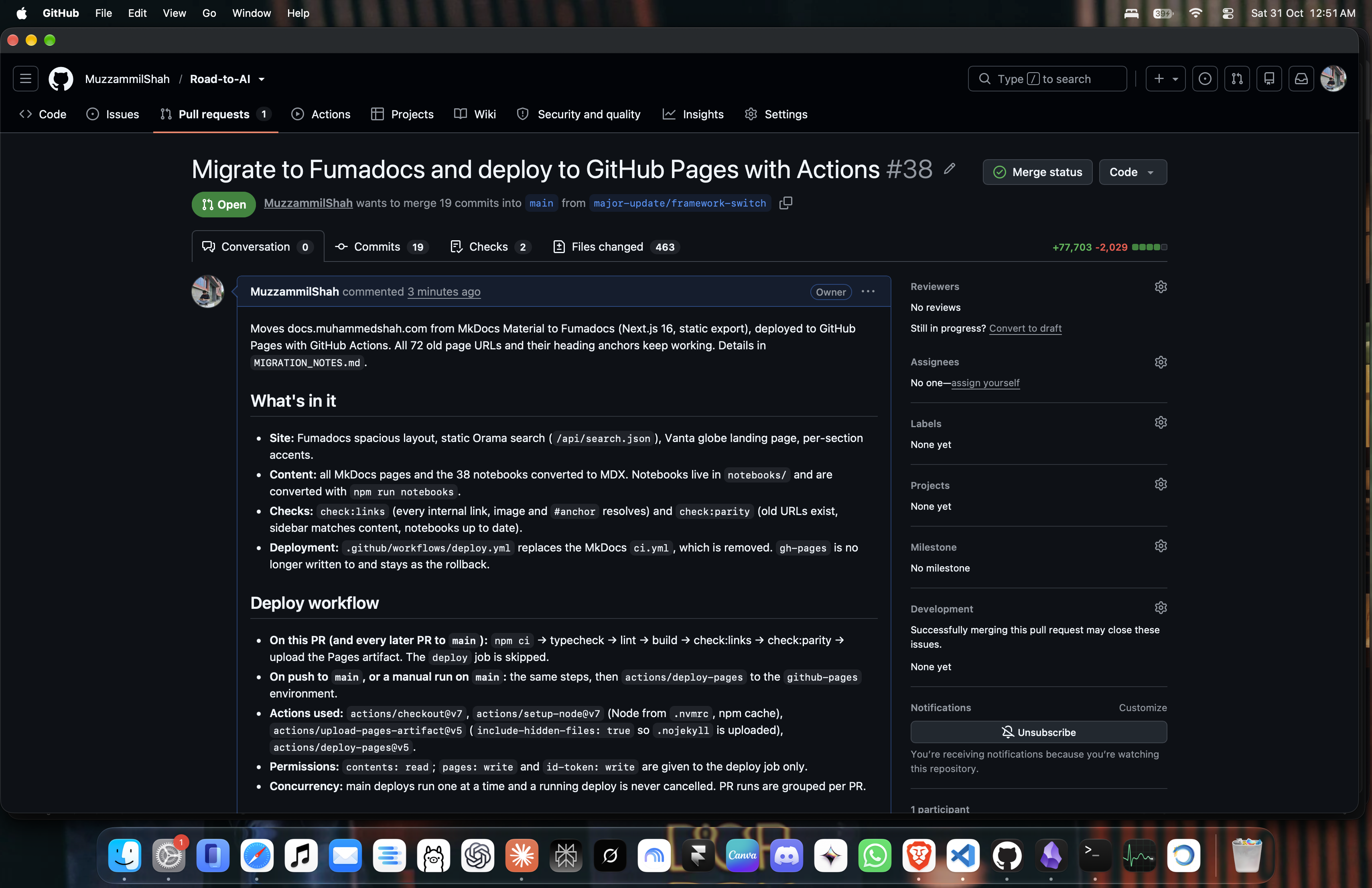
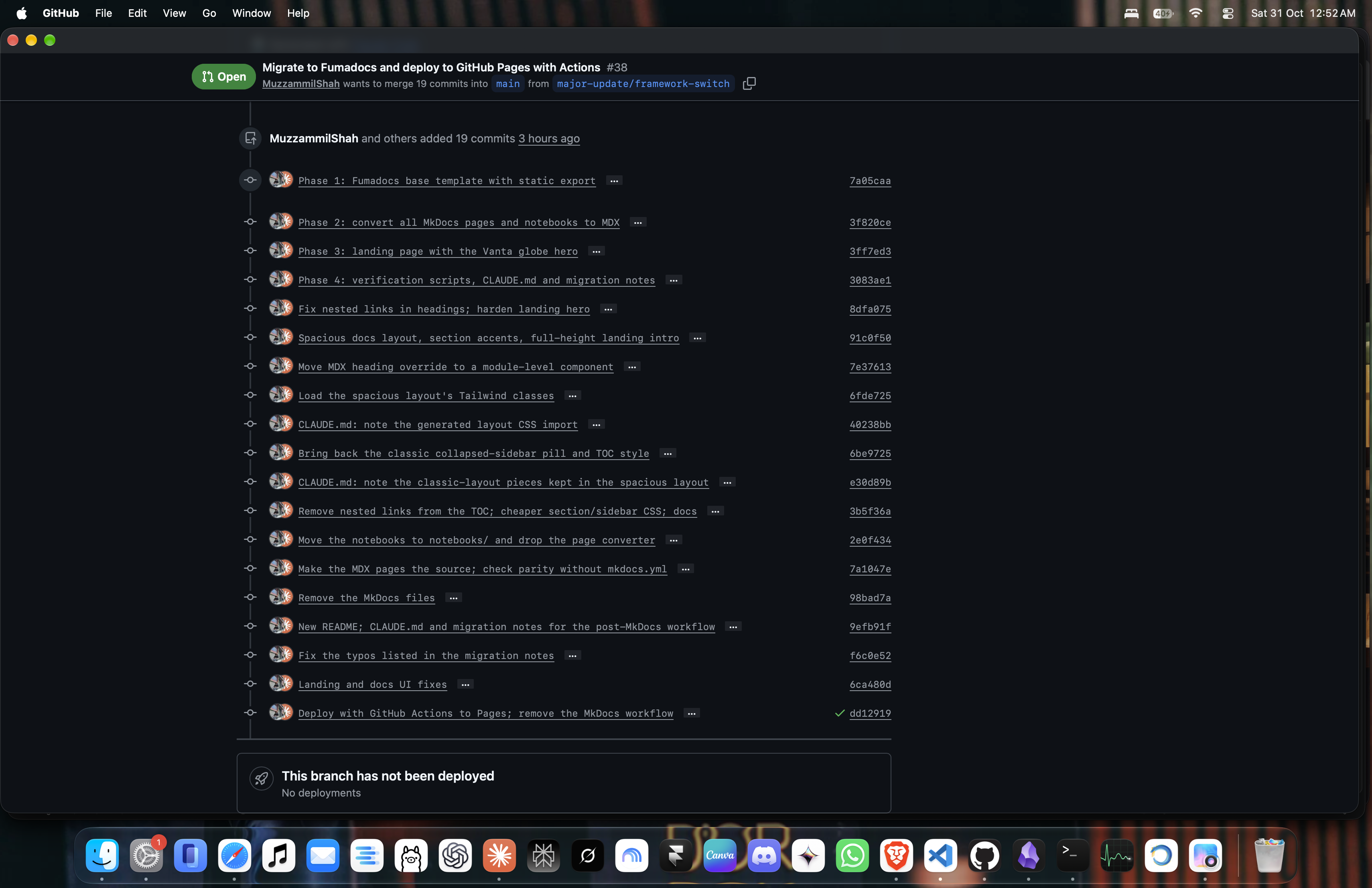
- Claude pushed the branch and opened PR #38 (19 commits, the whole migration).
- The PR’s check run went green in 44 seconds, with the deploy job correctly skipped.
- I switched Settings → Pages → Source to “GitHub Actions”.
- I merged the PR.
- The deploy run on
mainwent green, and docs.muhammedshah.com was running on Fumadocs.
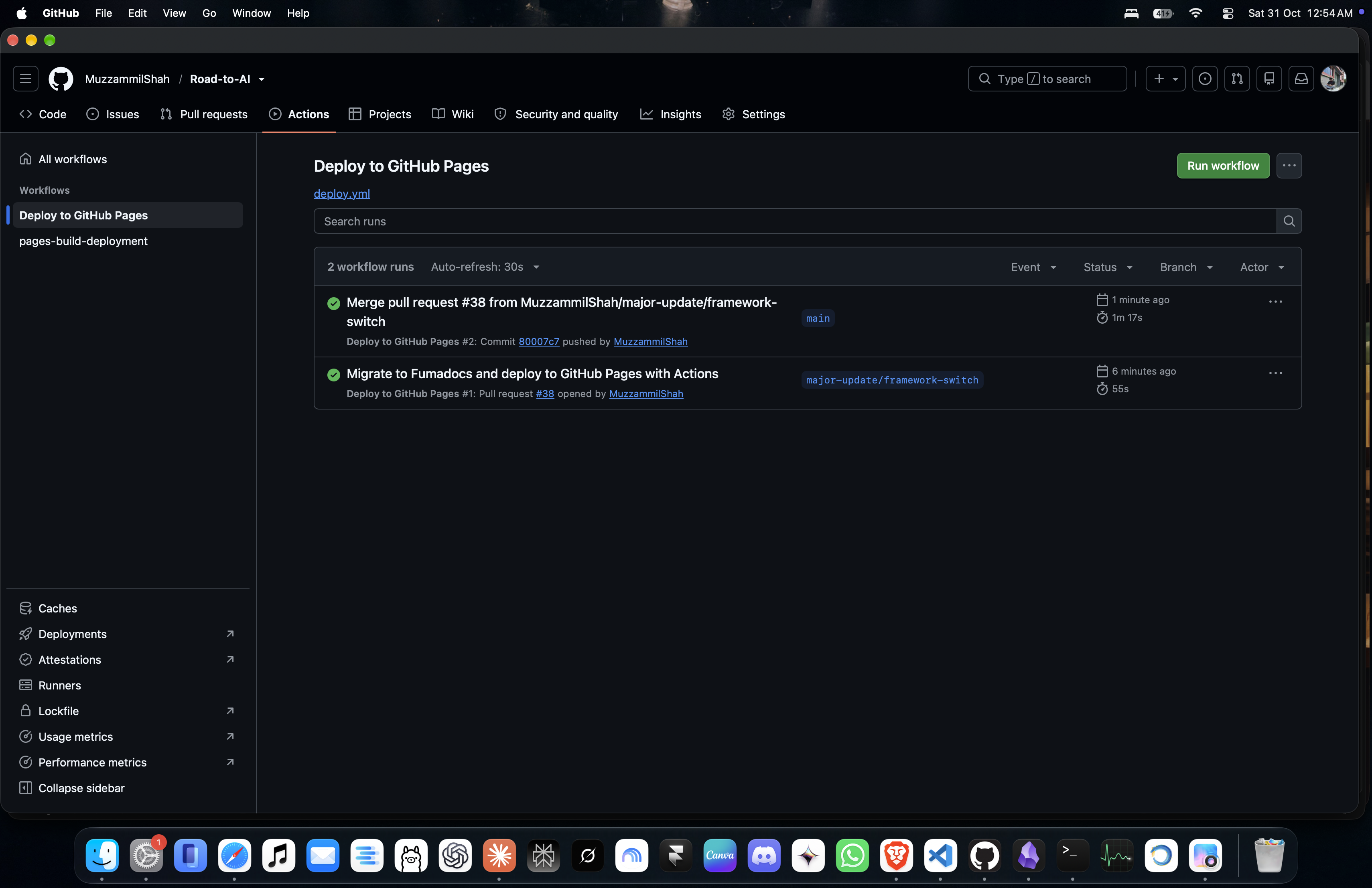
I went through the live site: old URLs, deep #anchor links, search, notebook pages, dark and light mode, my phone. Everything worked.
Wrapping up
After the launch, there was one last round of housekeeping. I had Claude create a MAINTAINING.md guide covering how to add new pages, notebooks and even entire sections. Each set of instructions was tested before being documented: the agent actually created a test page, section and notebook, ran all the checks, and then reverted everything.
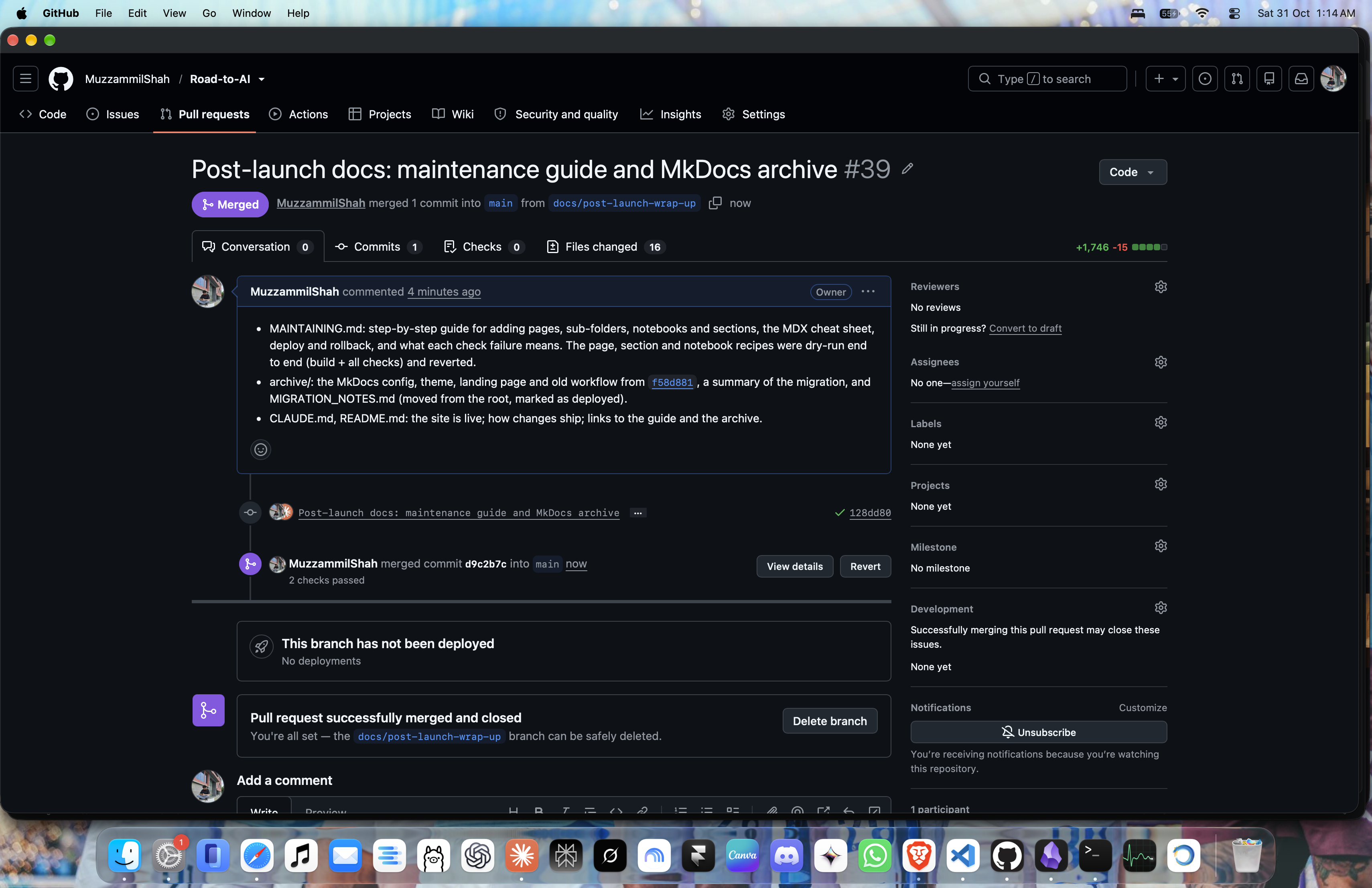
An archive/ folder now keeps the old MkDocs configuration, theme and migration notes, along with instructions for bringing the old site back if I ever need to. The session transcripts were deliberately left out since the repository is public.
Final numbers:
- 34 pages and 38 notebooks migrated.
- 72 of 72 old URLs still work, along with all 302 old heading anchors.
- 3,401 internal links, images and anchors checked, with 0 broken.
- 43 typos fixed.
- Approximately 4 hours of migration work, plus 1 hour of research the day before.
And a fun little bonus: the creator of Fumadocs also replied to me in the comments of this one!
What I took away from this is that the time wasn’t really spent writing code. It was spent getting the ground rules and verification right.
Clear boundaries, a plan before each phase, re-runnable scripts instead of manual edits, checks that could catch regressions, and a rollback option if things went wrong. All of these made a migration of this size manageable in a single evening, without putting the live site at risk.
And perhaps that’s one of the more interesting things about working with coding agents: the better you define the work and the ways to verify it, the more confidently you can delegate it.
Alhamdulillah, I’m really proud of how this one turned out.
Thank you for reading, and see you in the next one. Happy learning!