Building on the Move
My Experience Building on the move
Prologue
About 2 weeks ago I saw this post by ChatGPT India on how a bunch of developers held a hackathon on a Metro, and the caption read, “Kochi really took ‘build on the move’ literally”. And I thought that was pretty cool. I had participated in hackathons too and I understand the different challenges those developers would have faced, although the title of the article made it sound really cool. Different factors would have been in play there — network issues, laptop heating up, if things don’t work out the way you intended, things start to feel uncomfortable, and on top of that, you are in a moving tube surrounded by the public! But I definitely won’t turn a blind eye to the vibe that must have been in the air for those participating, and while reflecting, it would definitely be a 10/10 experience for them.
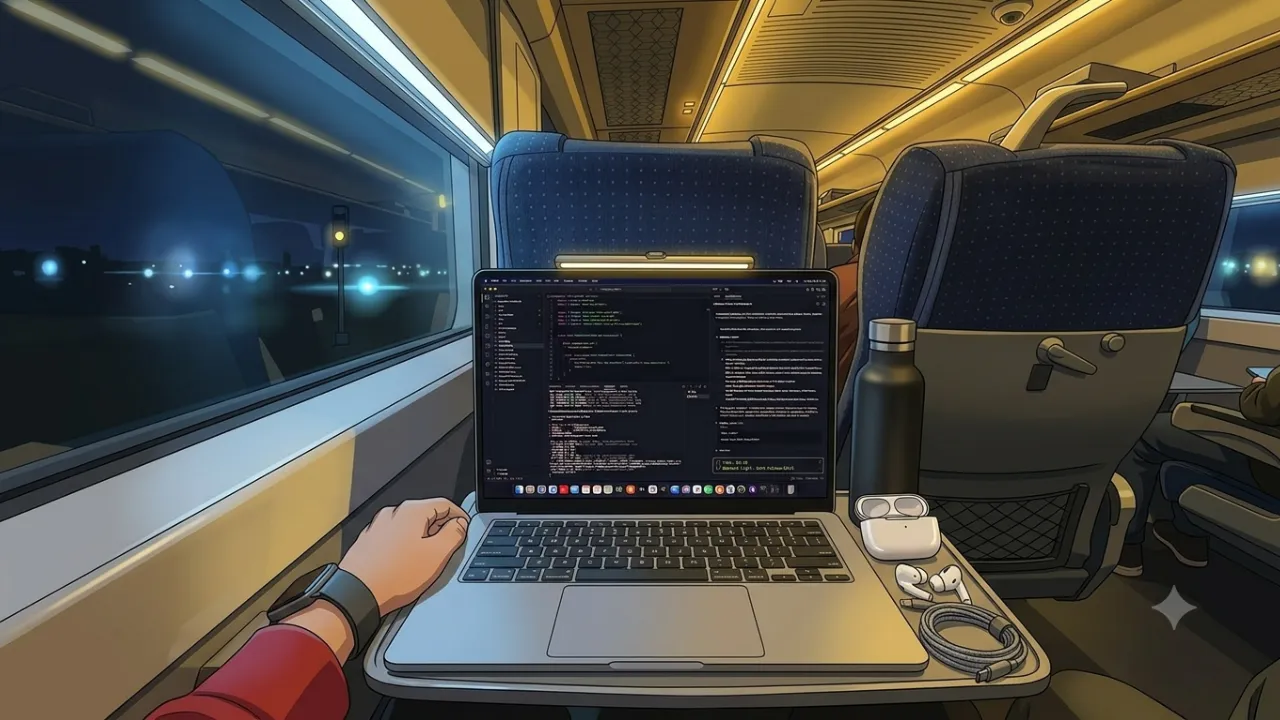
Now, just a week after that, I had to travel to my native on a weekend, and we took a Vande Bharat (I am mentioning this since it has a nice “Metro-like” vibe to it too). And I decided to take my Mac with me to build one of my personal projects (I am mentioning this not because I want to show off, but to truly appreciate this incredible piece of tech, since the battery lasted throughout the journey to the next day too! Since I have been a Windows boy during most of my educational journey, this was a major W).
What do I build?
For about 2 years I have been keeping track of my health, what I eat, and how much I have been exercising. Have tried out various different tools, top habit-tracking apps, even built one (before coding agents took over, so it was purely just ChatGPT Web), but none of them lasted. So I just stuck with keeping notes on my Obsidian.
But lately it was starting to get difficult to scroll all the way to the bottom of the Obsidian page to add my entry (I tried shortcuts too, but it just wasn’t convenient). Which is why I decided I could turn this into an iOS app which I could use. Since I was going to vibe code anyway, my experience of never having built an iOS app (I have developed an Android app before during college though using Android Studio) did sound exciting. And I was planning on keeping it simple anyway because I only had to collect data of each day and my storage could be as simple as a Markdown file entry.
Brainstorming and Planning
So I am in the train now and had my lunch too, ready to start. Following my habit at work, I got into brainstorming my app development and planning the architecture and functionality. I find this important since agents code really well, so just having a “localhost” version means nothing to me. You gotta be able to deploy it end-to-end and it should work there as well.
About an hour in and I was ready, until I read this one line which ChatGPT (I used ChatGPT for architecture and Claude Code for building) mentioned -
I also checked the current Apple account rules.
You can develop and test on your own iPhone using a free Apple developer account, but Apple’s current Personal Team provisioning has a 7-day expiry. You can have up to 3 devices and 3 App IDs under those limits.
So initially:
Free → perfectly fine for development.
But once you want this to be your permanent everyday app, I’d recommend the $99/year Apple Developer Program. It gives you proper distribution capabilities and TestFlight.
And THAT was a major bummer since I couldn’t even do the ‘bundle the app and run in developer mode on your phone’ like I did for my Android app. I was ready to do the whole ‘one week’ rebuild condition too, but I knew work schedule wouldn’t allow me to do that, and right at that moment my internet was terrible too, so Xcode couldn’t get installed at all.
I took a break since I was not used to looking at my laptop while being in a moving train. And after some thinking, I realized I could work on a PWA (Progressive Web App) instead! The only gamble would be that I would have to use a cloud storage DB since it’s essentially a website and can’t have a local Markdown file update idea. And building web applications is a familiar niche for me at this point, so I pivoted my architecture approach and started re-planning.
Building on the move!
The fun and challenging part had started. Got the initial prompt ready and started to direct Claude Code to work on it too. Had split it into 11 phases, all the way from the start to the deployment. And thinking back, it was genuinely fun. Faced multiple network issues too, took photos and videos (because come on, it felt pretty cool), designed a logo, designed the theme of the app, and worked on multiple iterations for optimizing as well.
My train journey was about 8 hours, and I worked for like about 4 hours of the journey. Rest of the time I had to eat, listen to music, or talk with my family since I was on a holiday after all. I got through Phase 4 by the time I reached my destination, and I had stopped there.
I later continued the development during the return journey, and this rather went more quickly since most of the architecture was built, so it was just designing the app and preparing for deployment (I normally use Vercel and MongoDB for my cloud-based projects).
Finally, the app came out beautifully! I deployed it, went to my Safari and turned it into a web app (Just visit the site -> Share -> Add to Home Page), and boy, didn’t it look wonderful! It took a while to understand that it was still a website and I didn’t have to worry about ‘phone optimization’ and the whole initial loading time. Overall, it’s been great and I am super proud of it. And since it follows my design idea, it just feels a whole lot better.
Overall it was a 10/10 experience for me too, and the fact that I was able to get through till the end of it without giving up when errors came up and without compromising on the performance. Definitely something I would like to try again In Sha Allah.
Epilogue
I wanted to add a quick section for the technical aspect of this project. So here is a summary of all of my prompts and conversation chats with Claude Code.
That’s all for this, Happy building! :)
Building the Personal Nutrition PWA — Technical Overview
Once I decided to pivot from an iOS app to a PWA, I restarted the architecture planning and broke the development into a series of phases. Claude Code handled most of the implementation, while I focused on the architecture, decisions, testing, and iterations.
The goal was deliberately simple: replace the friction of opening Obsidian every time I wanted to log something. The app needed to let me track Fajr, workouts, meals, water, walks and daily notes, while remaining a simple, polished personal tool rather than turning into a huge dashboard.
The Stack
The final stack ended up being:
- Next.js 16 + React 19 + TypeScript 5.9.3
- Tailwind CSS 4
- MongoDB Atlas for storage
- Custom single-user authentication using password hashing and server-side sessions
- Vercel for deployment
- Hand-written service worker for the PWA
- Vitest + E2E testing
- No external UI framework
One of the first interesting decisions was actually avoiding TypeScript 7. It had just been released when I started reconnaissance, but had essentially no real-world track record with the rest of the stack yet. Since reliability mattered more than being on the newest possible version, we stayed with the mature 5.9.3 release.
Building It in Phases
The development was split into phases so that each part could be built and verified before moving forward.
The first phase was reconnaissance and environment setup. We documented the architecture, data model, security approach and development plan before writing application code.
Then came the design system. I initially went with a warm “dawn” theme, but after seeing it in the browser, it just didn’t feel right. We eventually moved to a much simpler black, white and blue aesthetic, which made a massive difference to how the app felt.
Once the design was in place, we built authentication and the MongoDB layer, followed by the actual Today screen where real data could be logged. The app uses one daily document per date, with server-side validation and completion scoring.
From there, the Quick Log feature made it possible to quickly select a specific type of entry without navigating through the entire Today screen. The Home screen then became a real GitHub-style activity graph, with streak calculations and historical navigation.
The Insights page added lightweight analytics such as average completion, water intake, workout counts and streaks.
Finally, one of my favourite features was the Markdown export. The app can export the logged data into a structured Markdown ZIP that can be dropped back into Obsidian. This meant that even though the app uses MongoDB, I still retain the archival format I originally wanted.
Some Technical Decisions I Really Liked
A few decisions ended up being particularly important.
Local dates instead of UTC timestamps. For a daily tracker, “today” needs to mean my local calendar day. Using normal UTC conversions could easily turn a late-night entry into tomorrow’s entry, so date handling was deliberately built around local dates.
Status enums instead of simple booleans.
Fajr and workouts initially looked like they could simply be true or false, but that wasn’t enough. We needed to distinguish between something that was completed, explicitly skipped, and never logged. Workouts also needed a separate rest state. This became important when implementing streaks and completion percentages.
Pure logic separated from the database. Scoring, streak calculations and insights were kept as pure functions. This made them much easier to test and meant the logic wasn’t tied directly to MongoDB or HTTP requests.
Server Actions instead of a REST API. Since this was a small Next.js application, there was no reason to build a separate API layer. Server Actions handled both mutations and data fetching, keeping the architecture relatively small.
The PWA
The service worker was probably the most interesting part of the final stage.
I deliberately avoided next-pwa and Workbox because the project had a strong “minimal dependencies” philosophy. Instead, we wrote a small service worker ourselves.
The important rule was: never pretend that a write succeeded while offline. MongoDB remains the source of truth, so POST requests and data mutations are never cached.
The PWA instead focuses on what it actually needs:
- Network-first navigation
- Cache-first static assets
- An offline fallback page
- Home Screen installation
- Apple-specific Home Screen metadata
- Proper icons and standalone display
We also added an offline banner and a pre-flight check before saves so that the app immediately tells me when something cannot be saved.
Testing & Verification
Testing happened throughout the build rather than only at the end.
Pure functions were tested with Vitest, while actual login/session behaviour and browser flows were tested with E2E scripts. This distinction became important because some Next.js functionality, such as the cookies() API, requires a real request context and cannot be properly exercised through ordinary unit tests.
We also repeatedly ran linting, builds and browser verification before moving between phases.
What Didn’t Go Perfectly
There were a few bumps along the way.
next/font/google couldn’t reach its font CDN in the development environment, so we switched to self-hosted fonts. Ironically, this ended up being a better solution because the build no longer depended on an external font request.
We also caught a responsive layout issue where a login page depended on negative margins matching another component’s padding. A later mobile adjustment broke that assumption, so we replaced it with a self-contained fixed layout.
The biggest architectural change, of course, was the iOS → PWA pivot itself. But because the application was still early in development, most of the planning could be reused and the pivot didn’t turn into a complete rewrite.
Final Result
The end result is a private, single-user PWA that does exactly what I originally wanted:
Open → log → done.
It has authentication, a real database, historical tracking, streaks, insights, Markdown export and offline-aware behaviour, while still remaining relatively small and focused.
The biggest lesson for me wasn’t really about Next.js, MongoDB or PWAs. It was about the value of planning before letting an agent start coding.
Claude Code was most useful when I treated it as a collaborator rather than simply a code generator: discuss the options, understand the trade-offs, make the decision, implement it, test it, and document what we learned.
That approach made the entire project feel much more deliberate, and honestly, it made the whole “building on the move” experience even more enjoyable.
Built with Claude Code, August 2026.